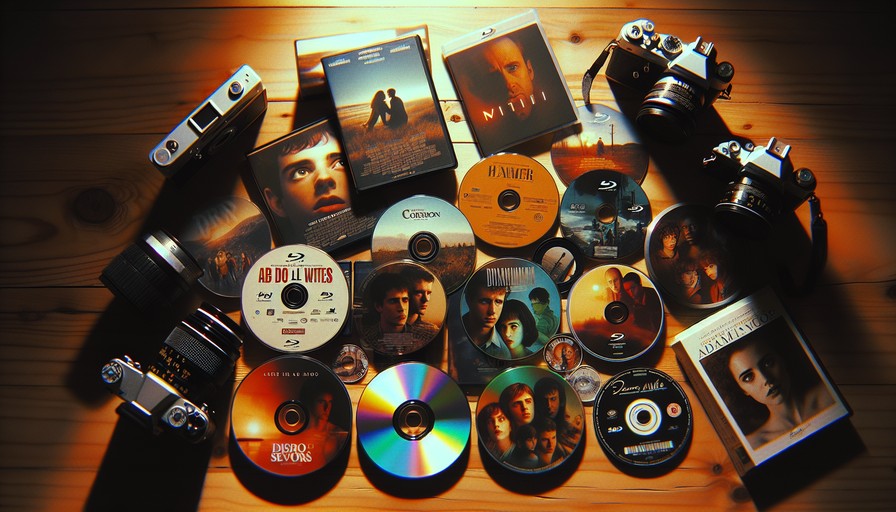
PAL vs NTSC — What It Means for Your Player and Discs in 2026
You've just bought a DVD or Blu-ray online — maybe a boxset that never got a release in your country, maybe a film from a director you love, maybe something a friend shipped over from abroad. You pop it in the player. Nothing. Or worse, a flickering black-and-white mess, or a flat-out "disc not supported" message.
That's PAL vs NTSC doing its thing. And it's been quietly ruining people's evenings since the 1950s. Here's what's actually happening, whether it still matters in 2026, and what to do about it.
PAL and NTSC are old analogue TV standards — PAL is used in Europe, Australia and most of Asia; NTSC is used in North America and Japan. Physical discs and players are often locked to one standard (or one of the six DVD regions). In 2026 this still matters for DVDs and some older Blu-rays, but streaming largely sidesteps the format issue — replacing it with geo-restrictions instead. A region-free player solves the disc problem. A VPN solves the streaming problem.
What PAL and NTSC Actually Are (Without the Boring History Lesson)
PAL stands for Phase Alternating Line. NTSC stands for National Television System Committee. Both are analogue broadcast standards invented in the mid-20th century to standardise how TV signals were transmitted and displayed.
The practical differences come down to two things: frame rate and resolution. NTSC runs at roughly 30 frames per second and 525 lines of resolution. PAL runs at 25 frames per second and 625 lines. PAL has slightly better picture quality; NTSC has slightly smoother motion. Neither is dramatically better. They're just different — and that difference is baked into a lot of physical media.
So when you buy a DVD pressed in the US (NTSC) and try to play it on a player bought in Germany (PAL), the player may simply refuse to cooperate. Some older players will display the disc in black and white, because they can handle the signal but can't process the colour encoding correctly.
Does This Still Matter in 2026?
Honestly? Less than it used to. But not zero.
Modern televisions are almost universally multi-standard. Your 2023 or 2024 TV can handle both PAL and NTSC input without breaking a sweat. The problem has shifted from TVs to players — specifically older DVD players and some budget Blu-ray players that were sold with region and format locks baked in.
Blu-ray officially replaced the PAL/NTSC distinction with a different system (it encodes video in standard frame rates that work globally), but Blu-ray kept the regional lockout system — just with different region codes (A, B and C instead of 1–6).
Here's where it stands in 2026:
- DVDs: Still absolutely affected by both PAL/NTSC and the six-region system.
- Blu-rays: PAL/NTSC mostly irrelevant, but region coding (A/B/C) still applies unless you have a region-free player.
- 4K UHD Blu-rays: Technically region-free by specification — but some studios still apply region locks. Check before you buy.
- Streaming: Format is irrelevant. Geo-restrictions are the problem instead.
The Streaming Version of This Problem
If you've moved from the US to the UK, or you're an Australian expat in Europe, or you just want to watch a show that's on Netflix US but not Netflix in your country — you've already met the streaming equivalent of PAL vs NTSC. It's called geo-blocking, and it's enforced by IP address detection.
Netflix, Disney+, Hulu, Amazon Prime Video, BBC iPlayer, Peacock — they all do this. The content libraries are genuinely different depending on where you're connecting from. Hulu is US-only, full stop. BBC iPlayer requires a UK IP address. Some Netflix originals are available in certain regions months before others.
This is the 2026 version of "your disc won't play." Same frustration, different cause.
How to Fix the Streaming Problem: Use a VPN
A VPN (Virtual Private Network) routes your connection through a server in another country, so streaming services think you're located there. Want to watch Hulu from outside the US? Connect to a US VPN server. Want BBC iPlayer from abroad? Connect to a UK server. Simple in principle.
We'd recommend NordVPN here, and not just because they're a sponsor — though they are, and we'll be straight about that. The reason we'd actually use it is that NordVPN has consistently maintained working servers for the major streaming platforms even as services have cracked down. They have servers optimised specifically for streaming, which matters because a lot of generic VPN connections get blocked at the platform level. And their speeds are genuinely good enough that you won't be sitting watching a buffer wheel.
NordVPN costs $4.99/month (about £3.95 / €4.60) on the two-year plan, or around $12.99/month (about £10.25 / €12) month-to-month.
If NordVPN doesn't work for your specific use case, ExpressVPN is a solid alternative — it's faster on some connections and has strong support for streaming, though it costs more (around $8.32/month / £6.60 / €7.65 on annual plans). Surfshark is worth a look if budget is a concern — cheaper than both, with unlimited device connections.
Step-by-Step: Desktop (Windows and Mac)
- Go to NordVPN.com and sign up for a plan.
- Download the desktop app for your operating system.
- Open the app and log in.
- In the server list or map, select the country you want to appear to be in (e.g., "United States" for Hulu, "United Kingdom" for BBC iPlayer).
- Click Connect. Wait for the confirmation that you're connected.
- Open your browser and go to the streaming service. Log in as normal.
That's genuinely it. If the site still shows your local library, clear your browser cookies and try again — sometimes old location data is cached.
Step-by-Step: Mobile (iOS and Android)
- Download the NordVPN app from the App Store (iOS) or Google Play (Android).
- Log in with your account credentials.
- Tap the country you want to connect to, or use the search bar to find a specific location.
- Tap "Connect."
- Open the streaming app (Netflix, Disney+, etc.) and browse as normal.
On iOS, you'll get a prompt asking if you trust the VPN configuration. Tap "Allow." That's just iOS being iOS — it's fine.
Step-by-Step: Smart TV
This is where it gets slightly fiddlier. Most Smart TVs don't have a native NordVPN app in their store. You've got two practical options:
Option 1 — Router-level VPN: Install NordVPN on your router rather than the TV. Every device on your network then uses the VPN automatically. NordVPN has guides for most major routers on their support site. It takes about 20 minutes if you're comfortable in your router settings.
Option 2 — Smart DNS: NordVPN includes a feature called SmartDNS, which doesn't encrypt your traffic but does redirect location checks. You configure it in your TV's DNS settings (Settings → Network → DNS, roughly — varies by TV brand). This works on Samsung, LG, Sony Android TVs and Apple TV. NordVPN's support pages walk you through each one.
Why Free VPNs Won't Cut It Here
Free VPNs are almost universally useless for streaming in 2026. Not because we're being snobby — it's just the reality. Streaming platforms actively maintain blocklists of known VPN IP addresses. Free VPNs share IP addresses across thousands of users, which means those addresses get flagged and blocked almost immediately.
Beyond that: data caps (most free VPNs cap at 500MB–2GB/month, which is nothing for video), slow speeds, and — most importantly — a lot of free VPN providers make their money by selling your browsing data. That's a genuinely bad trade.
Pay the few dollars a month. It's worth it.
Common Problems and Fixes
"I connected to the VPN but the streaming service still shows my local library"
Clear your browser cache and cookies, then reload. Alternatively, try an incognito/private window. The site may have cached your previous location.
"The streaming app says my account isn't valid in this region"
Some services — Hulu especially — require a payment method from the target region, not just an IP address. You'll need a US credit card or a gift card to create a Hulu account. This is a separate problem from the VPN working correctly.
"My DVD still won't play even though I've sorted the streaming"
VPNs don't help with physical discs. For that, you need a region-free DVD or Blu-ray player. Multi-region players are widely available on Amazon and specialist AV retailers — search "multi-region DVD player" or "region-free Blu-ray player." Prices vary from $30 (£24 / €28) for budget options up to $150+ (£120+ / €140+) for quality standalone units.
"NordVPN is connected but the video is buffering constantly"
Try switching to a different server in the same country — NordVPN has multiple servers per region and some are less loaded than others. Also try switching the VPN protocol in app settings: NordLynx (based on WireGuard) is generally the fastest option.
FAQ
Is it legal to use a VPN to access streaming content?
In most countries, yes — using a VPN is legal. It may technically violate the terms of service of certain streaming platforms, but the practical consequence is usually just getting your session blocked, not any legal action. We're not lawyers, and laws vary by country, but this is a very commonly used tool for very ordinary purposes.
Do PAL and NTSC affect streaming at all?
No. Streaming video is encoded digitally — it's not dependent on broadcast standards. The format your TV uses to display the video is handled automatically. PAL and NTSC are only relevant for physical media and legacy analogue equipment.
Will a region-free player let me watch any Blu-ray in the world?
For standard Blu-rays, yes. For 4K UHD Blu-rays, usually yes (they're officially region-free), but some discs still carry region locks set by the publisher. Check the disc packaging or the retailer's listing before purchasing.
Can I use a VPN on my games console to access streaming apps?
Not easily through the console itself, since PS5 and Xbox don't have native VPN app support. The router-level approach or SmartDNS method works here — same as Smart TVs.
Does NordVPN work with Netflix?
Yes, reliably as of early 2026. NordVPN maintains dedicated streaming-optimised servers. Connect to a US server for the US Netflix library, a UK server for UK Netflix, and so on. Netflix actively tries to block VPNs, but NordVPN keeps ahead of it well enough to be usable day-to-day.
I'm moving abroad permanently. Should I sort out physical media or streaming first?
Sort streaming first — it's cheaper and faster to fix, and you'll feel the benefit immediately. Get a VPN set up before you travel so you can maintain access to your home country's services from day one. Physical media can wait until you know which discs you actually want to bring or buy.
The Honest Recommendation
If you're dealing with a DVD that won't play, you need a region-free player — a VPN won't help you there. If you're dealing with a streaming service that's blocked in your country, NordVPN is what we'd actually use, and it'll solve the problem in about ten minutes.
The PAL vs NTSC distinction is fading — in another decade it'll probably be a pub quiz question rather than a real-world problem. But geo-restrictions on streaming? Those aren't going anywhere. If anything, they're getting more aggressive. Having a reliable VPN in your toolkit in 2026 isn't niche tech enthusiast behaviour anymore. It's just how you watch what you want.
Our top pick
Unlock region-locked content with a reliable VPN — tested and verified by our team.
Visit Nordvpn