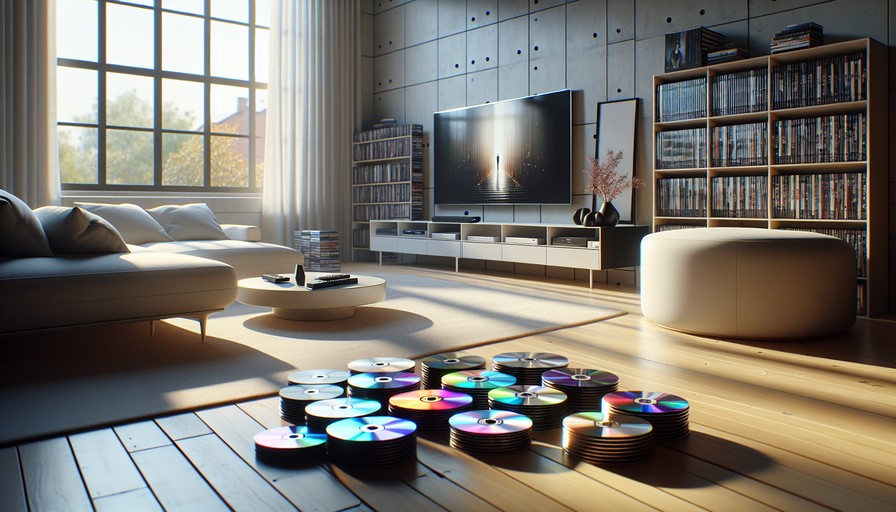
You've just unpacked the last box in your new apartment in Amsterdam, Barcelona, or Brisbane. The TV's plugged in. You reach for your Blu-ray collection — the one you carefully bubble-wrapped and shipped across an ocean — pop in a disc, and get a cold, mechanical error message. Wrong region. And then you open Netflix, search for a show your friends back home are talking about, and it's not there either. Welcome to life as an expat.
This happens to thousands of people every year, and it's genuinely maddening. But it's also completely fixable. Let's talk through both problems — physical discs and streaming — because they have different solutions, and you need to know which one applies to you.
Why Your Blu-ray Won't Play Abroad (And What "Region-Free" Actually Means)
Blu-ray discs are divided into three main regions. Region A covers North and South America plus East Asia. Region B covers Europe, Africa, Australia, and the Middle East. Region C covers the rest of Asia and Russia. Your player is locked to one region at the factory, and discs from other regions simply won't play on it.
So if you moved from the US to Germany, your American Region A discs are meeting a European Region B player. Conflict. Error. Nothing.
A region-free Blu-ray player removes that lock entirely. It'll play any disc from any region. These are real, physical players — you buy one, plug it in, and your whole collection works again. Brands like OPPO (now discontinued but still excellent secondhand), Panasonic DP-UB820 with a region-free modification, and dedicated region-free players from retailers like DVDLux or Multizone are worth looking at. Prices typically start around $150–$200 (roughly £120–£160 / €140–€185) for a decent unit.
One thing to check: power compatibility. North American players run on 110V; European outlets run on 220–240V. You may need a voltage converter, or look for a player with a universal power supply (100–240V) — most modern ones do.
The Streaming Problem Is Different — and Needs a Different Fix
Even with a perfect region-free Blu-ray setup, your streaming services will still know exactly where you are. Netflix in Germany has a different library than Netflix in the US. Disney+ blocks certain content by territory. And BBC iPlayer? Completely unavailable outside the UK — it detects your IP address and shuts you out.
This is where a VPN comes in. A VPN (Virtual Private Network) routes your internet traffic through a server in another country, so streaming services see a US or UK IP address instead of your actual location. As far as Netflix is concerned, you're sitting in Chicago, not Cologne.
Which VPN Should You Use?
We'd recommend NordVPN here, specifically because it has a dedicated streaming infrastructure that stays ahead of the detection arms race. Netflix, Disney+, and BBC iPlayer are constantly trying to block VPN IP addresses — NordVPN updates its servers fast enough that the streams keep working. It's also one of the few services that reliably unblocks BBC iPlayer, which is notoriously stubborn.
It covers up to 10 devices simultaneously, which matters when you've got a phone, laptop, tablet, and Smart TV all needing the fix. Plans run around $6.99/month (about £5.50 / €6.40) on a two-year plan, with a 30-day money-back guarantee.
Two solid alternatives worth knowing about:
- ExpressVPN — slightly more expensive at around $8.32/month (£6.60 / €7.60) on a yearly plan, but consistently fast and great for 4K streaming.
- Surfshark — the budget-friendly pick at around $2.49/month (£2.00 / €2.30) on a two-year deal, and it allows unlimited simultaneous connections.
Step-by-Step: Getting Your Streaming Working Again
On Desktop (Windows or Mac)
- Go to NordVPN.com and sign up for a plan.
- Download the desktop app for your operating system.
- Open the app and log in.
- In the server list, search for the country whose content you want — "United States" for US Netflix, "United Kingdom" for BBC iPlayer.
- Click connect. Wait for the green confirmation.
- Open your browser and head to the streaming site. Log in as normal. You should now see the correct regional library.
If the site still shows your local library, clear your browser cookies and try again. Sometimes the old session is cached.
On iPhone or iPad (iOS)
- Download the NordVPN app from the App Store.
- Log in with your account.
- Tap the country you want to connect through.
- Allow the VPN configuration when iOS asks — this is normal and safe.
- Open your streaming app and you're done.
One extra step if you're accessing a service like BBC iPlayer: you may need the app itself, which might not appear in your current App Store region. You can switch your App Store country in Settings → your Apple ID → Media & Purchases → Country/Region. You'll need a payment method from that country, or use a gift card.
On Android
- Download NordVPN from the Google Play Store.
- Log in and select your target country server.
- Hit connect and open your streaming app.
Same caveat applies: if the streaming app isn't available in your current Play Store region, you can download the APK directly from the service's website (BBC iPlayer offers this), or switch your Play Store country in account settings.
On a Smart TV
This is where it gets slightly more involved. Most Smart TVs don't support VPN apps natively. You've got two good options:
- Router-level VPN: Install NordVPN on your home router. Every device on your network then connects through the VPN automatically — including your TV. NordVPN has setup guides for most major router firmware.
- Use a streaming stick: An Amazon Fire TV Stick or Nvidia Shield supports NordVPN's app directly. Plug it into your TV's HDMI port and you're in business.
Why a Free VPN Won't Cut It Here
Free VPNs are tempting. They're also almost universally useless for streaming. Netflix and BBC iPlayer block the IP ranges associated with known free VPN servers aggressively — often within days of them appearing. Free services don't have the resources to cycle new IPs fast enough to keep up.
Beyond that, free VPNs are often slow (buffering on a Blu-ray rip is its own special misery), have data caps that make streaming impossible, and some of the shadier ones log and sell your browsing data. It's just not worth it. A paid VPN costs less per month than one coffee.
Common Problems and How to Fix Them
"It still shows me the wrong Netflix library." Clear your browser cookies, disconnect and reconnect the VPN to a different server in the same country, then try again. Sometimes one server is flagged and another works fine.
"BBC iPlayer says I'm not in the UK." BBC iPlayer is aggressive. Make sure you're connected to a UK server specifically, not just any European one. In NordVPN, search "United Kingdom" explicitly. If it still fails, try NordVPN's "Obfuscated Servers" option in settings — these disguise VPN traffic as regular traffic.
"My streaming is really slow through the VPN." Try a server geographically closer to your actual location, even if it's still in the target country. A UK server in London will generally be faster from Germany than one in Edinburgh. Also enable NordVPN's NordLynx protocol in settings — it's built on WireGuard and significantly faster than older protocols.
"My Blu-ray player shows a region error even though it says it's region-free." Double-check the disc itself. Some Ultra HD 4K Blu-rays have their own region coding separate from standard Blu-ray. And a small number of discs have additional DRM that even region-free players struggle with. Check the player manufacturer's compatibility list.
Frequently Asked Questions
Can I use one VPN account for my whole family?
Yes. NordVPN allows up to 10 simultaneous connections on one account, so your partner's phone, the kids' tablets, and your laptop are all covered. Surfshark allows unlimited connections if your household is particularly large.
Is using a VPN to watch Netflix legal?
In most countries, yes — using a VPN is perfectly legal. Netflix's terms of service say you should only access content available in your country, but this is a contractual issue, not a legal one. The worst that happens is Netflix blocks the VPN server. Nobody gets sued for watching Brooklyn Nine-Nine from the wrong country.
Will a region-free player affect the picture quality of my Blu-rays?
Not at all. Region-free modification is a firmware-level change that affects which discs are accepted — it has zero impact on picture or audio processing. A good region-free player will still output full 4K HDR just fine.
Do I need a separate VPN subscription for each country I want to access?
No. One NordVPN subscription gives you access to servers in 60+ countries. You just pick the country you need each time. US Netflix tonight, BBC iPlayer tomorrow — same app, same account.
What if I want to access my home country's streaming service while abroad?
That's actually the most common expat use case, and it's exactly what a VPN is for. Connect to a server in your home country and your streaming service thinks you never left. Works for US Netflix, UK Netflix, Australian Stan, and most other regional services.
Are there region-free 4K Ultra HD Blu-ray players available?
Yes, but the options are more limited than standard Blu-ray. The OPPO UDP-203 was the gold standard (discontinued, but available secondhand for around $400–$600 / £320–£480 / €370–€555). Some retailers like Multizone sell modified Panasonic UHD players. Do your research before buying — not all "region-free" UHD players handle every disc format.
Our Honest Recommendation
If you're an expat dealing with both physical disc issues and streaming restrictions, you actually need two separate solutions — and that's fine, because each one is a one-time fix. Buy a proper region-free Blu-ray player from a reputable retailer (budget at least $150 / £120 / €140 for something decent), and get NordVPN for your streaming.
The combination covers you completely. Your disc collection works. Your streaming services work. And you can stop explaining to friends back home why you haven't seen the show everyone's talking about.
Moving abroad is complicated enough. Your entertainment setup shouldn't be.
Our top pick
Unlock region-locked content with a reliable VPN — tested and verified by our team.
Visit Nordvpn