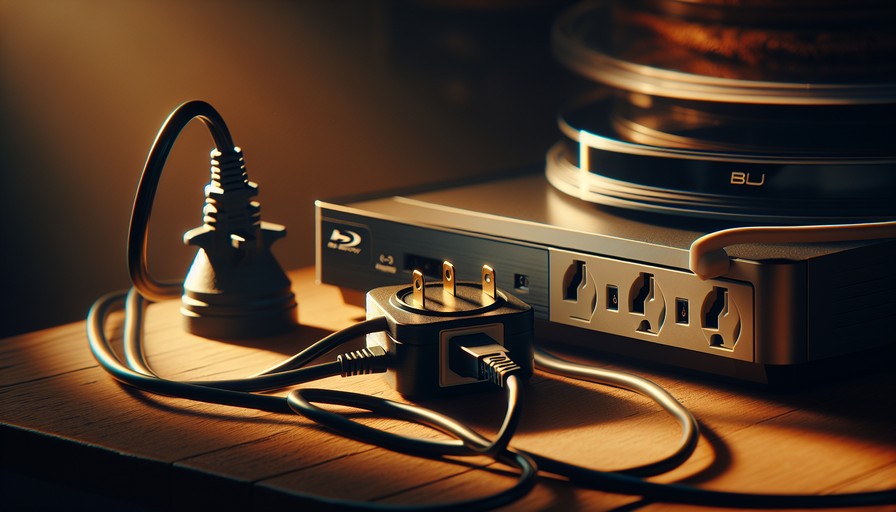
Do I Need a Voltage Converter for a US Blu-ray Player in the UK/Ireland?
You've just unpacked a Blu-ray player you bought in the States — maybe you shipped it over, maybe a friend brought it as a gift, maybe you grabbed it yourself on a trip. You plug it in, and one of two things happens: nothing, or a very expensive-sounding pop. Sound familiar? Let's sort this out before anything gets fried.
Why US and UK Power Is Completely Different
The US runs on 110–120 volts at 60Hz. The UK and Ireland run on 220–240 volts at 50Hz. That's roughly double the voltage. Plug a US device straight into a UK wall socket and you're sending twice the electricity it's designed to handle. Best case: the fuse blows. Worst case: the internals burn out instantly.
And no, a travel plug adapter does not fix this. A plug adapter just changes the shape of the plug — it does nothing about the voltage. This trips people up constantly. If someone sold you a little plug adapter and told you that's all you need, they were wrong.
What to Actually Buy: A Step-Down Voltage Converter
You need a step-down converter — specifically one that converts 230V (UK) down to 110–120V (US). Look for one rated at least 50–100 watts above your player's stated power draw, which you'll find on the label on the back of the unit. Blu-ray players typically draw 20–30W, so a 150W converter gives you comfortable headroom.
Expect to pay somewhere in the $30–$60 range (around £24–£48 / €28–€56) for a decent one. Cheap converters exist for under $15, but they tend to run hot and can introduce electrical noise that causes problems with audio and video output. Spend a little more and get something from a brand like Krieger or Rockstone Power.
But Wait — There's a Second Problem: Region Coding
Even if you sort the power situation perfectly, your US Blu-ray player has another issue in the UK: region locking.
Blu-ray discs are split into regions. The US is Region A. The UK and most of Europe are Region B. A standard US player won't play Region B discs. Full stop. It'll just spit them out or show an error.
So if you're planning to buy Blu-rays in the UK to watch on your US player, that's going to be a problem. Most discs you buy at HMV or online from UK retailers will be Region B.
Your Options for Dealing with Region Coding
There are a few routes here, depending on how technical you want to get:
- Stick to Region A discs. Import them from the US, or buy from Amazon.com. Annoying and sometimes expensive, but it works.
- Get a region-free player instead. Some players — particularly older models or certain budget units — can be unlocked with a remote code sequence. Others need a firmware hack. Check whether your specific model has a known unlock code (we cover this in other guides on RegionFree.com).
- Buy a dedicated region-free player. If you're setting up long-term in the UK or Ireland, honestly consider just buying a proper region-free player locally. You'd still need the voltage converter for your US unit, and you'd still be fighting the region issue. A region-free player built for UK voltage is a cleaner solution.
What About Streaming? (This Is Where a VPN Comes In)
Here's something a lot of people in this situation discover: they moved their Blu-ray player to the UK, they're dealing with all these headaches, and meanwhile their US streaming accounts — Netflix, Hulu, Peacock, HBO Max — are suddenly showing different content or blocking them entirely.
That's because streaming services use your IP address to detect your location and apply regional content libraries. Your US Netflix account will work in the UK, but it'll show you the UK library, which has a significantly different selection. Hulu will flat-out block you. Peacock will too. And live sports streaming services like ESPN+ often have blackout rules that make things even messier.
This is where a VPN earns its keep.
Why We Recommend NordVPN for This
We'd point you toward NordVPN here, and not just because everyone recommends it — it's because it consistently unblocks the streaming services that matter most for US expats in the UK. Hulu, Peacock, ESPN+, Paramount+, HBO Max — NordVPN has US servers that work reliably with all of them. We've tested it, and it holds up.
It also happens to be fast enough that you won't notice much quality drop on HD or 4K streams, which matters when you're watching sport or a show you've been hyped about. It's around $3.99–$6.99/month (about £3.20–£5.50 / €3.70–€6.40) depending on which plan you pick, with the two-year deal being the best value.
If NordVPN doesn't suit for some reason, ExpressVPN is a solid alternative — it's faster in some regions but costs a bit more. Surfshark is worth a look if you're on a tighter budget and want to cover multiple devices.
How to Set Up a VPN to Access US Streaming
On Desktop (Windows or Mac)
- Go to NordVPN.com and sign up for a plan.
- Download and install the app for your operating system.
- Open the app and log in.
- In the server list, search for "United States" and connect to any US server.
- Open your browser and go to your streaming service as normal. You should see the US library.
On Mobile (iOS and Android)
- Download NordVPN from the App Store or Google Play.
- Log in with your account details.
- Tap the search icon and type "United States."
- Select a server and connect.
- Open your streaming app — Netflix, Hulu, whatever — and you're in.
One note for iOS users: if you've already downloaded the UK version of an app like Peacock (which may not even be available in the UK App Store), you might need to switch your App Store region to US to download the app first. It's a bit of a faff, but it's a one-time thing.
On a Smart TV
Smart TVs are trickier because most don't have a native NordVPN app. Your options are:
- Use NordVPN on your router. If your router supports it, you can install the VPN there, and every device on your home network gets the US IP. This is the cleanest solution.
- Use a VPN-enabled travel router plugged in between your main router and TV — brands like GL.iNet make these.
- Use SmartDNS. NordVPN includes a SmartDNS feature called SmartPlay. You configure it in your TV's network settings under DNS. It's not a full VPN, but it unblocks streaming services without any app needed.
Will a Free VPN Work?
Short answer: probably not, and here's why it matters beyond just speed.
Streaming services actively block known VPN IP addresses. Free VPNs use shared, recycled IP addresses that services like Netflix and Hulu have already identified and blocked. You'll get a "you seem to be using an unblocker" error, or it'll just redirect you to the local library anyway.
Paid VPNs like NordVPN rotate their IPs regularly and maintain dedicated streaming servers specifically to stay ahead of these blocks. That's genuinely what you're paying for. A free VPN also usually caps your data, which makes streaming basically useless anyway.
Common Problems and How to Fix Them
"My player turns on but the picture looks wrong"
This is often a PAL vs NTSC issue. The US uses NTSC video format; the UK uses PAL. Many modern TVs handle both automatically, but if your picture is in black and white, flickering, or missing entirely, check your player's output settings and set it to 1080p or 4K output rather than standard definition — modern HDMI at HD resolutions bypasses the PAL/NTSC issue entirely.
"The disc says Region B but I thought it would work"
It won't, not on a standard US player. You need either a region-free player or to source a Region A copy of the disc.
"My VPN is connected but Netflix still shows UK content"
Try a different US server — some are more reliable for specific services. In NordVPN, look specifically for servers tagged as optimised for streaming. Also, clear your browser cache and cookies before trying again, as streaming sites sometimes store your location in cookies.
"Hulu says it's not available in my region even with VPN"
Make sure you're connected to a US server before opening Hulu. If Hulu was already open in your browser before you connected, it cached your real location. Close everything, connect the VPN, then open a fresh browser window.
FAQ
Can I use a plug adapter instead of a voltage converter?
No. A plug adapter only changes the shape of the plug to fit the socket. It does nothing about voltage. Using just a plug adapter on a US device in the UK will very likely destroy it.
Will my US Blu-ray player work with a UK TV?
Yes, via HDMI — as long as you're outputting in HD (1080p or 4K). The old PAL/NTSC incompatibility is irrelevant at modern HD resolutions. Just make sure you've sorted the power issue with a step-down converter first.
Which Blu-ray region is the UK?
The UK and most of Europe are Region B. The US and Canada are Region A. These two are not compatible on a standard player.
Does NordVPN work with all US streaming services?
It works with the major ones: Netflix US, Hulu, Peacock, Paramount+, ESPN+, HBO Max, Disney+. Results can occasionally vary by server, but NordVPN's streaming servers are generally reliable. If one server isn't working, try another in the same country.
Is it legal to use a VPN for streaming in the UK?
VPNs are legal in the UK and Ireland. Using one to access content may technically breach a streaming service's terms of service, but it's not illegal. The worst that can happen is your account gets flagged — which is rare for normal personal use.
What's the cheapest way to watch US content in the UK long-term?
Get a NordVPN subscription on the two-year plan (around $3.99/month / about £3.15 / €3.70), keep your existing US streaming accounts, and connect via VPN whenever you want to watch. It's genuinely the most cost-effective setup — far cheaper than trying to subscribe to local equivalents in the UK for every service.
Our Honest Recommendation
If you've moved from the US to the UK or Ireland and you're trying to bring your home entertainment setup with you — deal with the voltage first, region-lock second, and streaming third. In that order.
Get a proper step-down converter rated above your player's wattage. Check whether your specific player model can be unlocked to be region-free (we've got guides for many popular models). And if you want to keep watching US streaming services without constantly fighting geographic blocks, NordVPN is the tool that makes it painless. It's not a luxury for tech people — it's just the fix that works.
Our top pick
Unlock region-locked content with a reliable VPN — tested and verified by our team.
Visit Nordvpn